Desktop App Apple macOS Download and Installation
The Desktop App can run on computers with the Apple macOS operating system that meet the system requirements. The Desktop App is packaged as a Sparkle app; macOS handles the app updating process. Below are instructions on how to install, update and uninstall the Desktop App. The Desktop App is not available in the Apple App Store.
Install
To install the Desktop App on macOS:
- Download the appropriate version for your system CPU architecture
- In Finder double-click the gototags-mac-xxx.zip file
- This will extract the GoToTags app package to the current directory
- Move the GoToTags app package to the system Applications directory; The app will not run properly outside of the Applications directory.
- Delete the gototags-mac-xxx.zip file from your computer; it is not needed anymore
- Download and install the appropriate drivers for:
- Run the GoToTags app from the macOS Launchpad
- The first time the app is run you will need to follow this tutorial from Apple
Updates
As a Sparkle packaged app, macOS downloads an update for you in the background when a new version of the app is released. macOS checks the first time the app has been started after a system reboot and every hour after that for updates. After an update has been downloaded the user will be prompted to install and restart the app. Previous app versions are not available and updating the app is required.
Uninstall
To uninstall the Desktop App on macOS:
- In macOS, open the Finder app
- Navigate to Applications
- Find the GoToTags app in the directory
- Right-click the GoToTags app and select Move to Trash
- Uninstall any NFC reader drivers you installed (optional)
The Desktop App stores user settings in your user home folder which can be deleted.
- Example: /Users/Odie/.GoToTags/GoToTags
 https://gototags.com/wp-content/uploads/sites/12/2025/11/desktop_app_v4300_release.jpg
454
1300
bethanjohnson
https://gototags.com/wp-content/uploads/sites/12/2024/01/gototags_logo.svg
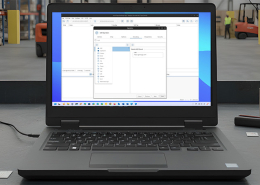
bethanjohnson2025-11-06 14:17:562025-11-14 12:02:34GoToTags Desktop App v4.30.0 Introduces Two Specialized NFC Encoding Operations
https://gototags.com/wp-content/uploads/sites/12/2025/11/desktop_app_v4300_release.jpg
454
1300
bethanjohnson
https://gototags.com/wp-content/uploads/sites/12/2024/01/gototags_logo.svg
bethanjohnson2025-11-06 14:17:562025-11-14 12:02:34GoToTags Desktop App v4.30.0 Introduces Two Specialized NFC Encoding Operations https://gototags.com/wp-content/uploads/sites/12/2025/10/posts_use_nfc_tags_iphone-copy.jpg
455
1300
bethanjohnson
https://gototags.com/wp-content/uploads/sites/12/2024/01/gototags_logo.svg
bethanjohnson2025-10-31 13:24:332025-11-14 12:02:58How to Use NFC Tags with an iPhone (iOS)
https://gototags.com/wp-content/uploads/sites/12/2025/10/posts_use_nfc_tags_iphone-copy.jpg
455
1300
bethanjohnson
https://gototags.com/wp-content/uploads/sites/12/2024/01/gototags_logo.svg
bethanjohnson2025-10-31 13:24:332025-11-14 12:02:58How to Use NFC Tags with an iPhone (iOS)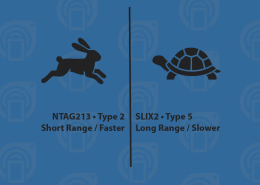 https://gototags.com/wp-content/uploads/sites/12/2025/10/posts_nfc_chip_performance.jpg
455
1300
bethanjohnson
https://gototags.com/wp-content/uploads/sites/12/2024/01/gototags_logo.svg
bethanjohnson2025-10-23 08:22:392025-10-23 08:22:39Which NFC Chip Type is the Best?
https://gototags.com/wp-content/uploads/sites/12/2025/10/posts_nfc_chip_performance.jpg
455
1300
bethanjohnson
https://gototags.com/wp-content/uploads/sites/12/2024/01/gototags_logo.svg
bethanjohnson2025-10-23 08:22:392025-10-23 08:22:39Which NFC Chip Type is the Best?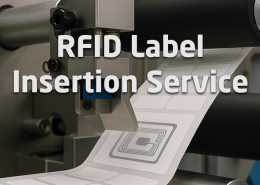 https://gototags.com/wp-content/uploads/sites/12/2025/10/posts_rfid_label_insertion.jpg
455
1300
bethanjohnson
https://gototags.com/wp-content/uploads/sites/12/2024/01/gototags_logo.svg
bethanjohnson2025-10-10 14:12:312025-10-10 15:31:44GoToTags RFID Label Insertion Service
https://gototags.com/wp-content/uploads/sites/12/2025/10/posts_rfid_label_insertion.jpg
455
1300
bethanjohnson
https://gototags.com/wp-content/uploads/sites/12/2024/01/gototags_logo.svg
bethanjohnson2025-10-10 14:12:312025-10-10 15:31:44GoToTags RFID Label Insertion Service