Desktop App System Requirements
The Desktop App supports all major desktop operating systems, platforms and a range of Connected Things hardware and tags. Below are the system requirements for each operating system, hardware and tags. See the recommended system system for optimal performance and functionality.
Contents
System Requirements
The following are general system requirements for the Desktop App; additional operating system-specific requirements also apply.
- GUI-based operating system
- Console/terminal only is not supported
- Native operating system
- Remote access and virtualized desktops (Citrix) are not supported
- Virtualized operating systems have not been tested and are not supported
- 8GB of RAM for basic usage
- 16GB for high-volume
- 32GB recommended for production use
- User permissions to:
- Install and run the app
- Read system information
- If MooInfo can read your system information, the Desktop App likely can as well
- Read/write to the file system
- Setup and use hardware devices (NFC and UHF RFID readers, barcode scanners, …) via USB, serial…
- Monitor (at least 1024 x 768), keyboard, mouse and speakers
- Internet access
- No software that interferes with the Desktop App or underlying resources (CPU, hardware, file system):
- Other NFC/UHF/barcode software
- Anti-virus software (Windows Defender)
- Background file sync apps (DropBox, OneDrive…)
- File backups
- Operating system and application updates (Windows Update); updates should be installed manually when not using the app
- The native language of the app is English, but is partially translated into other languages
- The app will run without a sound card, but sounds will be disabled
Linux System Requirements
In addition to the general system requirements, the following are additional requirements for installing on Linux based computers:
- Debian based operating system; only the following have been tested:
- Compatible CPU architecture:
- amd64 (Intel and AMD x64)
- x86 (32 bit) is not supported
- User permissions to:
- Install additional system package dependencies
- Download, build and install device drivers
- Configure user and group permissions
macOS System Requirements
In addition to the general system requirements, the following are additional requirements for installing on Apple macOS based computers:
- Desktop Apple computer (MacBook, iMac, Mini, Pro…)
- iPhones and iPads are not supported
- Compatible CPU architecture:
- aarch64 (Apple M1 and M2)
- amd64 (Intel and AMD x64)
- x86 (32 bit) is not supported
- macOS (10.15 – Catalina) or newer
- Previous versions of macOS are not supported
- Ability to install and run Sparkle packaged apps
- User permissions to:
- Allow non-store apps to be used
- Install additional system package dependencies
- Download, build and install device drivers
- Configure user and group permissions
Windows System Requirements
In addition to the general system requirements, the following are additional requirements for installing on Microsoft Windows-based computers:
- Windows 11
- For previous versions (Windows 7…)
- Compatible CPU architecture:
- amd64 (AMD and Intel x64)
- x86 (32 bit) is not supported
- Ability to install and run MSIX apps
- Ability to stop the Certificate Propagation Service
- The Windows Smart Card service must not be disabled and be allowed to run
- Ability to run Powershell commands (powershell.exe)
- Remote access via Remote Desktop has not been tested and is not officially supported
Internet Access
The Desktop App requires a persistent internet connection for several reasons including account management, GoToTags Cloud services, billing, app updates, analytics, configuration, help links and more. If you are in a restricted network environment (corporate), changes to the network (firewall, …) may be required in order for the app to function correctly. Contact your network / IT department for help; this is not something GoToTags can do.
External Domains
The Desktop App connects to the following wildcard domains via HTTP/HTTPS. In the case of a restricted network environment, these domains must be allowed through the firewall, or the entire computer put in a DMZ. Additional domains may be added in future versions without notice.
- *.gototags.com
- *.gototags.cloud
- *.google-analytics.com
- *.sentry.io
The DNS entries must be allowed explicitly in the firewall, not their corresponding IP addresses. The IPs for their DNS entries are subject to change. If the IP addresses are configured in the firewall and the DNS to IP changes, then the Desktop App will not work properly.
Inbound Connections
The Desktop App listens on port 63282 for inbound connections. Currently, this port does not need to be accessible externally or be opened in the firewall for inbound connections. This may change in the future if push events are implemented.
 https://gototags.com/wp-content/uploads/sites/12/2025/11/desktop_app_v4300_release.jpg
454
1300
bethanjohnson
https://gototags.com/wp-content/uploads/sites/12/2024/01/gototags_logo.svg
bethanjohnson2025-11-06 14:17:562025-11-14 12:02:34GoToTags Desktop App v4.30.0 Introduces Two Specialized NFC Encoding Operations
 https://gototags.com/wp-content/uploads/sites/12/2025/10/posts_use_nfc_tags_iphone-copy.jpg
455
1300
bethanjohnson
https://gototags.com/wp-content/uploads/sites/12/2024/01/gototags_logo.svg
bethanjohnson2025-10-31 13:24:332025-11-14 12:02:58How to Use NFC Tags with an iPhone (iOS)
 https://gototags.com/wp-content/uploads/sites/12/2025/10/posts_nfc_chip_performance.jpg
455
1300
bethanjohnson
https://gototags.com/wp-content/uploads/sites/12/2024/01/gototags_logo.svg
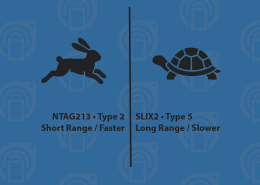
bethanjohnson2025-10-23 08:22:392025-10-23 08:22:39Which NFC Chip Type is the Best?
 https://gototags.com/wp-content/uploads/sites/12/2025/10/posts_rfid_label_insertion.jpg
455
1300
bethanjohnson
https://gototags.com/wp-content/uploads/sites/12/2024/01/gototags_logo.svg
bethanjohnson2025-10-10 14:12:312025-10-10 15:31:44GoToTags RFID Label Insertion Service