Store Accounts
Establishing an account at the GoToTags Store brings multiple benefits including order history and shipment tracking for the individual customer and enhanced levels of service and support for business customers.
Customer Accounts
Creating a customer account at the GoToTags Store provides several benefits. Customers will be able to:
- View order status and past order history
- Receive notifications when an order ships and track shipments
- Add multiple addresses to their address book
- Update organizational details for improved account management
Setting up an account requires a first name, last name, a valid email address and a password.
A customer account is linked to a specific email address. Organizations may create multiple customer accounts using different email addresses. GoToTags cannot merge these accounts; however, customers may log in and update the email address associated with their account at any time.
If the customer has forgotten their password, it is possible to create a new one:
- Click Sign In in the upper right corner
- Click the Forgot Your Password? link
- Enter the account’s email address
- Click the Reset My Password button
- The GoToTags Store will send an email with a link to set a new password
- Check the provided email address for a message from GoToTags.com and follow the instructions
Guest Checkout
Checking out is possible without creating an account. However, an email address is always required to place an order at the GoToTags Store. If the customer wants to create an account, they can use the same email address for previous orders. To do this, the customer should click Sign In, then select Forgot Your Password? The GoToTags Store will email the customer a link to set a password. After creating a password, the customer can log in to view past orders and update their account information.
Corporate Accounts
Corporate accounts are for businesses that intend to integrate GoToTags Store products or services into their ongoing production processes. These business customers typically place recurring orders and benefit from enhanced service and dedicated support from the GoToTags Store.
Benefits
- Mutual non-disclosure agreement (NDA)
- Project planning and consultation
- Dedicated account management
- Customized pricing
- Purchasing via purchase orders
- Integration with purchasing systems for automated orders
- Flexible payment terms and credit upon approval
- Blind drop-shipping and split-shipment options
Requirements
- Registered and actively operating business
- Corporate mailing address, email, and contact details
- Subject to background and credit checks
- Expectation of ongoing orders with the GoToTags Store
- Approved corporate account application
Application
To apply for a corporate account, please contact the GoToTags Store.
 https://gototags.com/wp-content/uploads/sites/12/2025/11/desktop_app_v4300_release.jpg
454
1300
bethanjohnson
https://gototags.com/wp-content/uploads/sites/12/2024/01/gototags_logo.svg
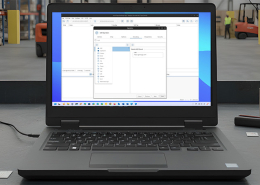
bethanjohnson2025-11-06 14:17:562025-11-14 12:02:34GoToTags Desktop App v4.30.0 Introduces Two Specialized NFC Encoding Operations
https://gototags.com/wp-content/uploads/sites/12/2025/11/desktop_app_v4300_release.jpg
454
1300
bethanjohnson
https://gototags.com/wp-content/uploads/sites/12/2024/01/gototags_logo.svg
bethanjohnson2025-11-06 14:17:562025-11-14 12:02:34GoToTags Desktop App v4.30.0 Introduces Two Specialized NFC Encoding Operations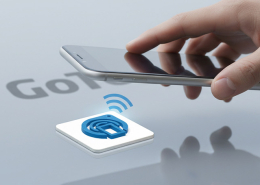 https://gototags.com/wp-content/uploads/sites/12/2025/10/posts_use_nfc_tags_iphone-copy.jpg
455
1300
bethanjohnson
https://gototags.com/wp-content/uploads/sites/12/2024/01/gototags_logo.svg
bethanjohnson2025-10-31 13:24:332025-11-14 12:02:58How to Use NFC Tags with an iPhone (iOS)
https://gototags.com/wp-content/uploads/sites/12/2025/10/posts_use_nfc_tags_iphone-copy.jpg
455
1300
bethanjohnson
https://gototags.com/wp-content/uploads/sites/12/2024/01/gototags_logo.svg
bethanjohnson2025-10-31 13:24:332025-11-14 12:02:58How to Use NFC Tags with an iPhone (iOS)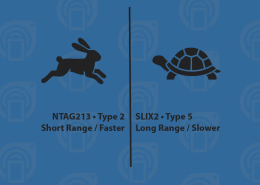 https://gototags.com/wp-content/uploads/sites/12/2025/10/posts_nfc_chip_performance.jpg
455
1300
bethanjohnson
https://gototags.com/wp-content/uploads/sites/12/2024/01/gototags_logo.svg
bethanjohnson2025-10-23 08:22:392025-10-23 08:22:39Which NFC Chip Type is the Best?
https://gototags.com/wp-content/uploads/sites/12/2025/10/posts_nfc_chip_performance.jpg
455
1300
bethanjohnson
https://gototags.com/wp-content/uploads/sites/12/2024/01/gototags_logo.svg
bethanjohnson2025-10-23 08:22:392025-10-23 08:22:39Which NFC Chip Type is the Best?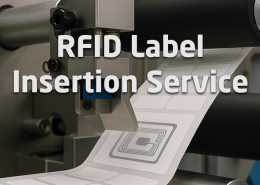 https://gototags.com/wp-content/uploads/sites/12/2025/10/posts_rfid_label_insertion.jpg
455
1300
bethanjohnson
https://gototags.com/wp-content/uploads/sites/12/2024/01/gototags_logo.svg
bethanjohnson2025-10-10 14:12:312025-10-10 15:31:44GoToTags RFID Label Insertion Service
https://gototags.com/wp-content/uploads/sites/12/2025/10/posts_rfid_label_insertion.jpg
455
1300
bethanjohnson
https://gototags.com/wp-content/uploads/sites/12/2024/01/gototags_logo.svg
bethanjohnson2025-10-10 14:12:312025-10-10 15:31:44GoToTags RFID Label Insertion Service